Introduction
Touchscreen laptops offer a perfect blend of performance, versatility, and user-friendly features, making them increasingly popular for work, entertainment, and gaming. This article explores the critical aspects of touchscreen laptops, including specifications, display quality, storage, processor, design, and battery life.
It also delves into customer reviews, durability, and pricing, providing a comprehensive overview of what to consider when choosing the right touchscreen laptop for your needs.
| Feature | Details |
| Specifications | Intel i5/i7, 8GB-16GB RAM, 256GB-1TB SSD |
| Sensitivity | Highly responsive capacitive touchscreens |
| Display | 11″-17″, Full HD or 4K |
| Storage | 256GB-1TB SSD or HDD |
| Audio & Video | Stereo speakers, Dolby Atmos (premium models) |
| Processor | Intel Core i3/i5 (casual), i7/i9 (gaming/heavy use) |
| Model & Design | Convertibles, 2-in-1s, ultra-portables, robust builds |
| Port Options | USB-A, USB-C, HDMI, headphone jack, SD card slots |
| Gaming & Projects | Dedicated NVIDIA/AMD graphics |
| Price | $300 (budget), $600-$1,000 (mid-range), $1,500+ (premium) |
| Battery Life | 6-12 hours; longer in ultrabooks, shorter in gaming laptops |
| Durability | Reinforced hinges, scratch-resistant screens, durable builds |
Specifications
Touchscreen laptops come with various specifications, depending on the model and intended use. Key features to consider include processor speed, RAM size, and storage capacity. Most models offer Intel Core i5 or i7 processors with 8GB to 16GB of RAM. Storage options typically include SSDs (Solid State Drives) for faster performance, with capacities ranging from 256GB to 1TB.
Why Touchscreen Laptops Enhance Productivity and User Experience
Touchscreen laptops combine the versatility of traditional notebook computing with the intuitive interaction of tablets, offering a hybrid experience that appeals to both casual users and professionals. By enabling direct manipulation of on-screen elements, these devices allow users to scroll, zoom, and navigate with simple finger gestures, which can make tasks like browsing, sketching, and editing documents more natural and efficient. This form of input can be especially valuable for creative work, presentations, and multitasking, where the ability to interact directly with applications enhances workflow. Additionally, touchscreen laptops often support stylus input, further expanding their utility for note-taking, drawing, and precise selection—features that help bridge the gap between traditional laptops and tablets.
Sensitivity
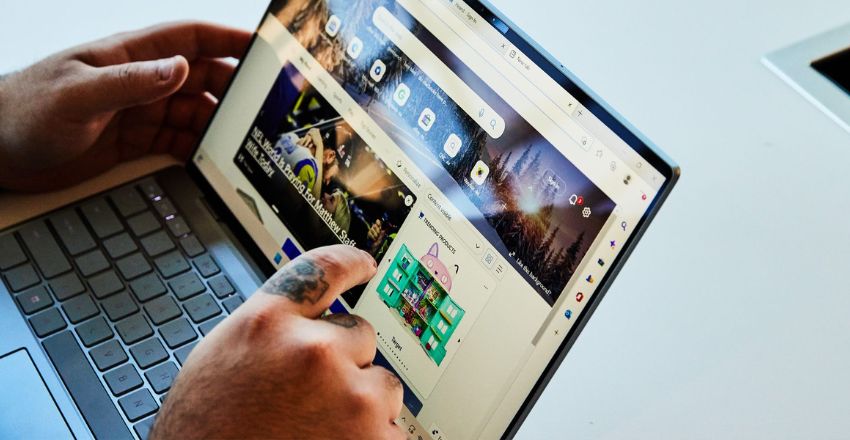
The sensitivity of touchscreen laptops plays a crucial role in their performance. The best touchscreen laptops feature highly responsive touchscreens that register even the lightest taps. Capacitive touchscreens, which use electrical signals to detect touch, are the most common in modern laptops.
Display
The display is one of the most essential features of touchscreen laptops. With sizes ranging from 11 to 17 inches, touchscreen laptops typically offer full HD (1080p) or higher resolutions, with some premium models providing 4K displays. High-resolution displays ensure sharp, clear visuals for both work and entertainment.
Storage
Storage is a critical consideration when choosing a touchscreen laptop. Modern laptops typically offer either SSD or HDD storage. SSDs are faster, quieter, and more reliable, so they are favored in many touchscreen models. Depending on the laptop’s intended use, storage capacities range from 256GB to 1TB or more.
Audio and Video
Touchscreen laptops often have high-quality audio and video systems to enhance the multimedia experience. Built-in stereo speakers are designed to provide clear sound, while some premium models incorporate advanced sound technology like Dolby Atmos.
Processor
A touchscreen laptop’s processor (CPU) is its brain, responsible for overall performance. Most touchscreen laptops feature Intel Core or AMD Ryzen processors, which provide sufficient power for everyday tasks. An Intel Core i3 or i5 will be enough for casual use, while heavy users or gamers may opt for an Intel Core i7 or even an i9. The latest processors ensure efficient multitasking and smooth gameplay.
Model and Design
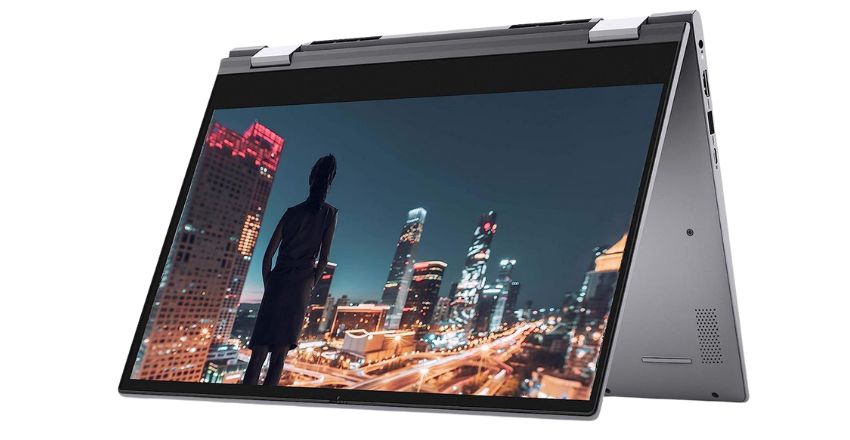
Touchscreen laptops come in various models and designs, with options for different needs. Convertibles and 2-in-1 laptops allow users to switch between traditional and tablet modes. They are perfect for people who want a flexible, all-in-one device. The design of touchscreen laptops can range from sleek, ultra-portable devices to more robust machines.
Port Options
Port options are another crucial aspect to consider when purchasing touchscreen laptops. Most laptops come with various ports, including USB Type-A, USB Type-C, HDMI, and headphone jacks. The inclusion of multiple USB ports, along with SD card slots, makes data transfer and peripheral connection easier.
Gaming and Projects
Touchscreen laptops are not just for casual use but are also powerful enough to handle gaming and project-based work. Many touchscreen laptops come with dedicated graphics cards from NVIDIA or AMD, providing smooth performance for graphic-intensive games and applications.
Management
For business professionals, touchscreen laptops offer excellent productivity and flexibility. With features like multitouch screens, powerful processors, and the ability to run multiple applications simultaneously, these laptops can efficiently handle business management tasks. Many touchscreen laptops have security features like fingerprint sensors or facial recognition for secure logins.
Price
Touchscreen laptops come in a wide range of prices, from budget-friendly options to premium models. Entry-level laptops may start at around $300, while mid-range models range from $600 to $1,000. High-end laptops, equipped with top-tier processors, high-resolution displays, and premium build quality, can cost upwards of $1,500.
Battery Life
Battery life is a critical factor in the overall usability of laptops. While it varies by model, most modern laptops offer anywhere from 6 to 12 hours of battery life on a full charge. Ultrabooks and other high-end models offer more extended battery performance, while gaming laptops may have shorter battery lives due to their powerful processors and graphics cards.
Customer Experience and Reviews
Customer feedback plays a significant role in determining the overall quality of laptops. Positive reviews highlight the laptop’s performance, touchscreen sensitivity, display quality, and build design. However, some users may mention issues like lagging or overheating, especially in more budget-friendly models.
Durability
Durability is essential for any laptop, especially if you’re frequently on the go. Many touchscreen laptops are designed to withstand wear and tear with features like reinforced hinges, scratch-resistant screens, and durable chassis. Business-focused models, like the Lenovo ThinkPad or Dell XPS series, are mainly known for their robust construction.
Conclusion
In conclusion, touchscreen laptops combine powerful performance, flexibility, and ease of use, making them ideal for various tasks, from professional work to entertainment. These laptops cater to diverse needs with various specifications, designs, and price points.
By considering factors like display, storage, battery life, and durability, you can choose the perfect touchscreen laptop to enhance your computing experience.
Apart from that if you want to know about “Best Laptops for College Students: Top Picks, Advantages, and Facts” then please visit our “Tech” Category.
FAQs
Most laptops include USB Type-A, USB Type-C, HDMI, headphone jacks, and SD card slots.
Many touchscreen laptops feature dedicated NVIDIA or AMD graphics for smooth gaming experiences.
Prices range from $300 for budget models to over $1,500 for premium configurations.
A touchscreen laptop allows users to interact directly with the display using touch gestures, making tasks like navigation, drawing, note-taking, and multitasking more intuitive.
Touchscreen laptops are not necessarily better for everyone, but they offer added flexibility and convenience for users who prefer touch interaction or creative workflows.